theAuth Guide: Cap Agent Spend and Require Human Approval
theAuth is open-source auth for AI agents and humans. Star the repo on GitHub · Read the docs · Run...
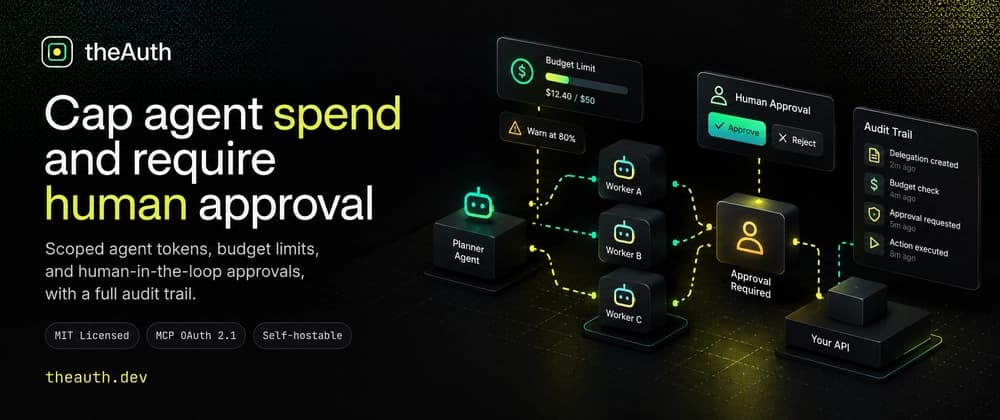
theAuth is open-source auth for AI agents and humans. Star the repo on GitHub · Read the docs · Run the quickstart · theauth.dev
A planner agent of mine once fanned out to six workers on a Friday night. By Saturday morning one worker kept retrying a failed summarization, and my provider dashboard showed a line I did not like. Nobody broke in. Every credential was valid. The system simply had no idea that "valid" and "affordable" are different questions.
That weekend taught me that agent fleets need three controls beyond identity. Narrow grants that expire. A spend cap that actually stops calls. And a human checkpoint in front of the actions you cannot undo.
This guide builds all three with theAuth, an open-source auth library for AI agents and humans (@glinr/theauth on npm). By the end you will have a planner that delegates scoped, short-lived access to a worker, a budget guard that warns at one threshold and blocks at another, an approval flow for a destructive action, and a cost report that rolls up per delegation chain.
I already covered the basics of sub-agent delegation in an earlier post. This one starts where that one stopped: what happens to the money and the risky actions once the chain exists.
This is guide 6 of 8 in the theAuth guides. It stands on its own, so you can start right here. It uses agent identities from guide 5. If you already know how to create an agent, start here.
| Guide | Title | Read it when |
|---|---|---|
| 1 | Add login to an existing Next.js app | You have an app with no auth yet |
| 2 | Passwordless login: passkeys, links, OTP | You want to drop passwords or add 2FA |
| 3 | Multi-tenant SaaS auth: orgs, RBAC, SSO, SCIM | You sell to teams and companies |
| 4 | Migrate from Auth0 or Clerk | You already run another provider |
| 5 | Give every AI agent its own identity | You run AI agents and need to start somewhere |
| 6 | Cap agent spend and require human approval (this guide) | Your agents spend money or act on risky things |
| 7 | Secure an MCP server for production | You expose tools over MCP |
| 8 | Build an audit trail for AI agent actions | Someone will ask what your agents did |
Building for people? Start at guide 1. Building for AI agents? Start at guide 5. Every guide links to the docs page for each concept it touches.
TL;DR#
| Control | What you call | What it does | Who enforces it |
|---|---|---|---|
| Delegation | theauth.delegate() |
Grants a subset of permissions with an expiry and a depth cap | theAuth, inside authorize() |
| Budget policy | theauth.policies.checkBudget() |
Reports whether a call would cross a limit | Your code |
| Approval | theauth.approval.request() |
Stores a pending human decision | Your code |
| Cost attribution | costs.recordCost() |
Records spend per agent, tool and chain | Your code, via alerts |
Notice the last column. Only delegation and permission constraints sit inside authorize(). Budgets and approvals are modules you call. I will repeat this, because that wrong assumption causes most of the trouble.
Prerequisites#
You need Node 20 or newer, a package manager, and a TypeScript project. You also need to know what an agent identity is in theAuth. If you do not, read the agent identity page first. It takes five minutes.
Install the package:
pnpm add @glinr/theauthIf you want a running app instead of a blank project, the quickstart has a one-command scaffolder. The examples below use SQLite so you can run them anywhere.
One honest scope note before we start. theAuth is a good fit when you want identity, scoped permissions and an audit trail in one place, in your own process and database. theAuth is not a billing system. It will not stop a provider from charging you, and it will not cap spend at the network level. Everything here works because your code asks the library first and obeys the answer.
Step 1: Create the fleet#
Start with one instance and three agents. A planner holds the broad permissions. A summarizer starts with none and will receive access by delegation. A cleaner holds its own narrow permissions, including a delete that needs approval.
import { createTheAuth } from '@glinr/theauth';

const theauth = await createTheAuth({
  database: { provider: 'sqlite', url: 'theauth.db' },
  approval: {
    ttl: 600, // seconds
    onApprovalNeeded: async (request) => {
      console.log(
        `[approval] ${request.agentId} wants to ${request.action} ${request.resource} (${request.id})`,
      );
    },
  },
});

const planner = await theauth.agent.create({
  ownerId: 'user-123',
  name: 'planner',
  type: 'autonomous',
  permissions: [
    { resource: 'mcp:github:*', actions: ['read', 'write', 'comment'] },
    { resource: 'mcp:linear:*', actions: ['read', 'write'] },
  ],
});

const summarizer = await theauth.agent.create({
  ownerId: 'user-123',
  name: 'summarizer',
  type: 'delegated',
  permissions: [],
});
The ownerId must match a real user row, so create or look up that user first. The agent identity docs show the full lifecycle, including token rotation. Each agent also gets a bearer token that appears once and sits hashed at rest. Put it in your secret store the moment you see it.
Why the delegated type for the summarizer? It signals intent. This agent exists to finish one task with borrowed access, then go away.
Step 2: Delegate the smallest useful grant#
Now the planner hands the summarizer read access to GitHub issues, for 30 minutes, with no room for further hops.
const chain = await theauth.delegate({
  fromAgent: planner.id,
  toAgent: summarizer.id,
  permissions: [{ resource: 'mcp:github:issues', actions: ['read'] }],
  expiresAt: new Date(Date.now() + 30 * 60_000),
  maxDepth: 1,
});

console.log(chain.id, chain.depth); // dlg_..., 1
Three details in the delegation docs save real debugging time.
First, the subset rule. The planner must hold every permission it delegates. Asking for a wider resource or an action it lacks throws an error. That is the right failure: a compromised planner cannot mint power it never had.
Second, Each call checks maxDepth on its own. Later hops do not inherit it as a ceiling. To stop re-delegation, pass a small maxDepth on every delegate() call in your code. If you rely on a default of 3 somewhere, a chain can grow deeper than you planned.
Third, the subset check uses the delegating agent's own permissions. An agent that holds only delegated access cannot pass it on. If you want a middle agent to re-delegate, give it its own copy of the permissions. I find this surprising, but it errs on the safe side.
Check what the summarizer can actually do:
const allowed = await theauth.authorize(summarizer.id, {
  action: 'read',
  resource: 'mcp:github:issues',
});
// allowed.allowed === true

const denied = await theauth.authorize(summarizer.id, {
  action: 'write',
  resource: 'mcp:github:issues',
});
// denied.allowed === false
authorize() checks the agent's own permissions first, then falls back to delegated ones. You can list the delegated set directly:
const effective = await theauth.delegation.getEffectivePermissions(summarizer.id);
console.log(effective);
Revoking a chain#
When a job goes wrong, you want one call that kills the whole subtree.
await theauth.delegation.revoke(chain.id);Revoking a link also revokes active chains that start from the receiving agent. If the summarizer had delegated onward, those links die too. The next authorize() call returns allowed: false. One limit to remember: revocation does not interrupt an operation already in flight. A long HTTP request keeps running until it finishes.
Step 3: Put a budget in front of every LLM call#
Delegation controls what an agent may touch. It says nothing about how much it may spend. For that, theAuth has budget policies on theauth.policies. Read the budget policies page once, because the model is specific.
Here is the part people miss. authorize() does not consult budget policies. Nothing happens unless your code calls checkBudget() before the LLM call and recordUsage() after it.
Create two policies for the summarizer, a soft one and a hard one:
await theauth.policies.create({
  agentId: summarizer.id,
  limits: { maxTokensCostPerDay: 800 },
  action: 'warn',
});

await theauth.policies.create({
  agentId: summarizer.id,
  limits: { maxTokensCostPerDay: 1000, maxCallsPerDay: 500 },
  action: 'block',
});
At 800 units the warn policy fires and checkBudget() still returns allowed: true, with the policy attached so you can alert someone. At 1000 the block policy returns allowed: false.
Now wrap your model call so the check is impossible to forget:
async function guardedCall<T>(
  agentId: string,
  estimatedCost: number,
  run: () => Promise<{ value: T; actualCost: number }>,
): Promise<T> {
  const check = await theauth.policies.checkBudget(agentId, estimatedCost);

  if (!check.allowed) {
    throw new Error(`Budget blocked for ${agentId}: ${check.reason}`);
  }
  if (check.reason) {
    console.warn(`[budget] soft limit reached for ${agentId}: ${check.reason}`);
  }

  const { value, actualCost } = await run();
  await theauth.policies.recordUsage(agentId, actualCost);
  return value;
}
Use it around any model call:
const summary = await guardedCall(summarizer.id, 50, async () => {
  const result = await llm.complete('Summarize the open issues.');
  return { value: result.text, actualCost: result.usage.totalTokens };
});
The llm object stands in for your own client. The wrapper only needs a number back.
Things that bite#
The action field has four values: warn, throttle, block and revoke. In the current code, throttle, block and revoke all behave the same. Each returns allowed: false. revoke does not revoke the agent token for you. If you want the agent dead, call theauth.agent.revoke() yourself.
The check matches policies by agentId only. A policy with just a userId or tenantId has no agent, so it applies to every agent. Those two fields only work as list() filters, but they do not scope the check. If you plan a per-tenant cap, create one policy per agent and set the tenant field for filtering, rather than trusting it to do the matching. The multi-tenant page covers how tenants fit together.
Also, nothing resets counters on its own. You schedule that.
// UTC midnight cron
const { reset } = await theauth.policies.resetDaily();
console.log(`Reset ${reset} policies`);

// First of the month
await theauth.policies.resetMonthly();
Both calls apply to every policy. Policies that were triggered return to active once usage is back under the limit.
If you want hard call-count caps per agent per hour with no budget logic at all, the rate limiting page is the simpler tool.
Step 4: Require a human for the irreversible action#
Budgets cap how much. Approval gates what. Some actions deserve a person saying yes first: deleting production files, moving money, widening permissions.
theAuth models this as a permission constraint, requireApproval. Give the cleaner agent a read permission and a delete permission that needs a human:
const cleaner = await theauth.agent.create({
  ownerId: 'user-123',
  name: 'file-cleaner',
  type: 'autonomous',
  permissions: [
    { resource: 'file:prod-data/*', actions: ['read'] },
    {
      resource: 'file:prod-data/*',
      actions: ['delete'],
      constraints: { requireApproval: true },
    },
  ],
});
When the cleaner tries to delete, authorize() denies it and says why. Your application spots that reason and opens an approval request. The approval docs describe the same flow.
async function tryDelete(path: string) {
  const attempt = {
    action: 'delete',
    resource: `file:prod-data/${path}`,
    arguments: { path: `/prod/${path}` },
  };

  const result = await theauth.authorize(cleaner.id, attempt);

  if (result.allowed) {
    return { done: true as const };
  }

  if (result.reason?.includes('requires human approval')) {
    const request = await theauth.approval.request({
      agentId: cleaner.id,
      userId: 'user-123',
      ...attempt,
    });
    return { done: false as const, approvalId: request.id };
  }

  throw new Error(`Denied: ${result.reason}`);
}
The agent does not block. It gets back an approvalId and moves on. The human answers minutes or hours later, within the TTL you set (the default is 5 minutes, and the config above raises it to 600 seconds).
Notify the human#
theAuth stores the request. It does not deliver the message. You choose how a person finds out, with onApprovalNeeded (shown in Step 1) or a webhookUrl.
const theauth = await createTheAuth({
  database: { provider: 'sqlite', url: 'theauth.db' },
  approval: {
    ttl: 300,
    webhookUrl: process.env.APPROVAL_WEBHOOK_URL,
  },
});
The webhook is a plain POST with an approval_needed event and the request body. It has no signature header and no retries. Treat it as a nudge, not a guarantee. If it fails, the request is still stored, and a periodic listPending() sweep will find it. Do not put anything secret in a handler that accepts that webhook without your own verification layer in front.
Approve, deny, and then actually act#
Your backend exposes two routes. Pass the reviewer's identity so the record says who decided.
app.post('/approvals/:id/approve', async (req, res) => {
  const updated = await theauth.approval.approve(req.params.id, req.user.email);
  res.json({ status: updated.status });
});

app.post('/approvals/:id/deny', async (req, res) => {
  const updated = await theauth.approval.deny(req.params.id, req.user.email);
  res.json({ status: updated.status });
});
Now the part that trips people. Approval is a record, not a bypass. After a human approves, authorize() for that delete still returns allowed: false, because the permission still carries requireApproval. It does not look up approval rows.
Your code does the work itself once the status flips:
async function finishDelete(approvalId: string, path: string) {
  const request = await theauth.approval.get(approvalId);

  if (request?.status === 'approved') {
    await deleteFile(path); // your own code path, not authorize()
    return 'deleted';
  }
  if (request?.status === 'denied') return 'denied';
  return 'still pending or expired';
}
Make that function the only place the delete happens. If a second code path can delete without checking approval status, you have built a checkbox, not a gate.
Two smaller facts. approve() and deny() throw unless the request is pending. And approve() does not check expiresAt. A request past its TTL stays pending until you run cleanup, so schedule it:
const { expired } = await theauth.approval.cleanup();
console.log(`Expired ${expired} stale approval requests`);
Pair this with a UI that lists listPending(userId), and a reviewer sees exactly what the agent wanted, with its arguments, before saying yes.
Step 5: Attribute every dollar#
The budget policy counts whatever number you hand it. It does not tell you which tool burned the money or which delegation chain a job belonged to. For that you want cost attribution. See the cost attribution page.
This module is standalone. You build it from the database handle:
import { createCostAttributionModule } from '@glinr/theauth/auth';

const costs = createCostAttributionModule(theauth.db, {
  currency: 'USD',
  retentionDays: 90,
  alertThresholds: { warn: 5.0, critical: 20.0 },
  onAlert: async (alert) => {
    console.warn(
      `[cost] ${alert.type} agent=${alert.agentId} spent=$${alert.currentCostUsd.toFixed(4)} limit=$${alert.threshold} period=${alert.period}`,
    );
    if (alert.type === 'budget_exceeded') {
      await theauth.agent.revoke(alert.agentId);
    }
  },
});
Record each call with the chain ID, so a job's cost rolls up no matter which sub-agent spent it:
await costs.recordCost({
  agentId: summarizer.id,
  tool: 'openai:gpt-4o-mini',
  inputTokens: 1200,
  outputTokens: 300,
  costUsd: 0.0004,
  delegationChainId: chain.id,
  metadata: { job: 'nightly-issue-digest' },
});
Later, ask what the whole chain cost:
const report = await costs.getDelegationChainCost(chain.id);
if (report.success) {
  console.log(report.data.totalCostUsd.toFixed(4));
  console.log(report.data.byTool);
}
Every method returns a Result object, so check success before reading data. Other useful reads are getAgentCost(), getOwnerCost() and getTopAgentsByCost(10). The last one answers the question I was asking that Saturday: which agent did this.
Alert behavior to plan around#
Alerts are level-triggered. While spend sits above a threshold, every recordCost() call fires the alert again. If you page a human from onAlert, deduplicate first. A simple in-memory set keyed by agent and alert type works until you run more than one process, and then you want a shared store.
The warn and critical thresholds look at a 24-hour rolling window. The budget_exceeded alert compares calendar-month spend against the smallest maxTokensCostPerMonth among that agent's policies.
The cost module's checkBudget() is a separate function from the policy one:
const status = await costs.checkBudget(summarizer.id);

if (status.success && !status.data.withinBudget) {
  throw new Error('Monthly cost budget reached');
}
It reads only the monthly token-cost limit and ignores the policy action. It also skips policies that have no matching agentId. Keep your units straight. If you pass dollars to recordCost() and tokens to recordUsage(), the two systems will agree on nothing. Pick one unit for the limits (I use dollars) and feed both modules in that unit.
Step 6: One guard for everything#
Here is the shape I ship. A single function does the budget check, the model call, the cost record and the usage record, in that order. Agents call this and nothing else.
async function runModelCall(opts: {
  agentId: string;
  chainId: string;
  tool: string;
  estimateUsd: number;
  call: () => Promise<{ text: string; inTok: number; outTok: number; usd: number }>;
}): Promise<string> {
  const policy = await theauth.policies.checkBudget(opts.agentId, opts.estimateUsd);
  if (!policy.allowed) throw new Error(`Policy blocked: ${policy.reason}`);

  const monthly = await costs.checkBudget(opts.agentId);
  if (monthly.success && !monthly.data.withinBudget) {
    throw new Error('Monthly cost budget reached');
  }

  const out = await opts.call();

  await costs.recordCost({
    agentId: opts.agentId,
    tool: opts.tool,
    inputTokens: out.inTok,
    outputTokens: out.outTok,
    costUsd: out.usd,
    delegationChainId: opts.chainId,
  });
  await theauth.policies.recordUsage(opts.agentId, out.usd);

  return out.text;
}
Yes, there are two budget checks. They read different counters, and I would rather block on either than discover a gap at 2 a.m. Duplicated bookkeeping is the price of two modules that were not built to share a counter.
One race to know about. Two parallel calls can both pass checkBudget() before either records usage, so a hard cap can overshoot by the cost of the calls in flight. If that matters, serialize calls per agent or pass a generous estimateUsd.
Step 7: Agents that call other agents#
Up to here, the fleet lives in one process. Once agents sit in different services, you need them to authenticate to each other. theAuth ships an A2A server and client for the Google Agent-to-Agent protocol, and the A2A page documents both.
The server side validates the caller's bearer token with the same identity system:
import { createAgentCard, createA2AServer } from '@glinr/theauth/a2a';

const card = createAgentCard({
  agent: { id: summarizer.id, name: summarizer.name, type: summarizer.type },
  url: process.env.A2A_PUBLIC_URL!,
  description: 'Summarizes issues and threads',
  version: '1.0.0',
  skills: [
    {
      id: 'summarize',
      name: 'Summarize',
      description: 'Condenses a thread into key points',
      tags: ['summary'],
    },
  ],
  securitySchemes: {
    bearer: { type: 'http', scheme: 'bearer', bearerFormat: 'JWT' },
  },
  security: [{ bearer: [] }],
});

const server = createA2AServer({
  agentCard: card,
  handler: { onMessage: handleSummarizeMessage },
  authenticate: async (request) => {
    const token = request.headers.get('Authorization')?.replace('Bearer ', '');
    if (!token) return null;
    const caller = await theauth.agent.validateToken(token);
    return caller?.id ?? null;
  },
  onAudit: async (event) => {
    console.log('[a2a]', event.method, event.agentId, event.success);
  },
});
Mount server.handleRequest(req) on /a2a and on /.well-known/agent.json. The handleSummarizeMessage function is yours: it receives the message and returns a task object. Inside it, call runModelCall from Step 6, so remote traffic hits the same budget guard as local traffic.
Two cautions from the docs. If you omit authenticate, the server accepts unauthenticated calls. And the default task store is an in-memory map, so tasks vanish on restart. Pass a taskStore of your own for anything real.
A2A authentication proves who is calling. It does not carry delegation by itself. If a remote agent should act with narrowed rights, create the delegation on your side and record costs against its chain ID as before.
A worked failure, start to finish#
Here is how the pieces behave together when something goes wrong. Say the summarizer enters a retry loop at 02:10.
The loop calls runModelCall() again and again. Each pass runs checkBudget(), makes the call, records cost against the chain, and records usage. At 800 units the warn policy attaches a reason, and your logger prints a soft-limit line. Nobody is awake to read it, so nothing changes.
At 24-hour spend of $5, the cost module fires a warn alert. At $20 it fires critical. Your onAlert handler pages the on-call person, and because alerts repeat on every recorded cost, the page needs deduplication or it will ring 40 times.
At 1000 units the block policy returns allowed: false and the guard throws. The loop dies on its next iteration. The agent is still alive, still holds its delegation, and still passes authorize(). Only the spending stopped.
That gap matters. A budget stop and an access stop are different levers. If you also want access gone, revoke the chain with theauth.delegation.revoke(chain.id) or revoke the agent with theauth.agent.revoke(). I wire the budget_exceeded alert to the agent revoke, and I leave the chain revoke as a deliberate human action so a legitimate big job does not lose its whole tree to one noisy night.
Compare that with the approval path. If the same runaway loop tried a delete, the first attempt would create one request. A loop that retries the delete creates one new request per attempt, unless you remember the approvalId and check get() first. Keep a map from the attempted action to its pending request, and return the existing ID on a repeat. Otherwise your reviewer opens their queue to 300 identical rows.
Test the guard before you trust it#
I do not believe a budget guard until I have watched it block. Write a throwaway script that spends a 3 unit budget on purpose.
const probe = await theauth.agent.create({
  ownerId: 'user-123',
  name: 'budget-probe',
  type: 'autonomous',
  permissions: [],
});

await theauth.policies.create({
  agentId: probe.id,
  limits: { maxTokensCostPerDay: 3 },
  action: 'block',
});

for (let i = 1; i <= 5; i++) {
  const check = await theauth.policies.checkBudget(probe.id, 1);
  console.log(`call ${i}: allowed=${check.allowed}`);
  if (check.allowed) await theauth.policies.recordUsage(probe.id, 1);
}
You should see calls 1 to 3 pass and calls 4 and 5 fail. If call 4 passes, your units or your recordUsage() call are wrong. Fix that before you wire the guard into real agents.
Do the same for approvals. Create a request, confirm listPending() returns it, approve it, and confirm get() reports approved. Then call authorize() on the same delete and watch it deny. Seeing that denial once will save you from writing the wrong code path later.
Running it in production#
A handful of habits keep this setup honest after the demo.
Schedule four jobs. Run resetDaily() at UTC midnight and resetMonthly() on the first of the month. Run approval.cleanup() every 5 minutes so stale requests flip to expired. Run costs.cleanup() nightly so cost events respect your retention window.
Log the auditId that authorize() returns next to your own request IDs. When a human asks why an agent did something, the audit trail gives you the decision and you give them the context.
Review the top spenders weekly with getTopAgentsByCost(10). In my fleet, one agent costs more than the other nine put together, and the culprit never matched my guess.
Finally, set the delegation expiry to the length of the job, not the length of the day. A 30-minute task gets a 30-minute grant. When the grant lapses, the access lapses with it, and you did not have to remember anything.
Troubleshooting and gotchas#
The agent keeps spending after the cap#
Check that your code calls checkBudget() before the model call and acts on allowed: false. The library will not intercept your HTTP client. This is the cause nine times out of ten.
A policy for one user caps everyone#
Policies with only userId or tenantId apply to all agents, since the check matches on agentId alone. Add an agentId to every policy you create. List your policies with theauth.policies.list() and look for entries without one.
An approved delete is still denied#
Expected. authorize() never consults approval records. Run the action from your own code path after reading the approval status, as in Step 4.
Approvals sit pending forever#
Nothing expires them until cleanup() runs. Schedule it. Also remember that approve() accepts a request that is past its TTL if cleanup has not run yet. If that matters, compare expiresAt yourself before acting.
Re-delegation throws a subset error#
The middle agent holds only delegated permissions. Give it its own copy of the permissions it needs to pass on, then pass a maxDepth that covers the new hop.
Alerts fire in a loop#
They are level-triggered. Deduplicate in onAlert, or revoke the agent on budget_exceeded so spend stops growing.
Counters never go back down#
You did not schedule resetDaily() and resetMonthly(). No one does it for you.
When this is the wrong tool#
If you need spend caps enforced at a gateway for every service in your company, use a gateway or your provider's own quotas. This guide gives you an application-level guard. It protects only the code paths that call it.
If you need signed webhooks with retries for approval delivery, put a queue in front of the approval hook. The built-in webhook is a simple fire-and-forget POST.
If your fleet is a single agent with one tool, delegation is overhead. Start with a permission and a budget policy and add the rest when a second agent shows up.
Go deeper#
The pages I used most while building this, in the order I would read them:
- Delegation chains for subset rules, depth and cascading revocation
- Budget policies for limits, actions and resets
- Approval flows for requests, webhooks and cleanup
- Cost attribution for reports, alerts and chain costs
- A2A protocol for agent cards and authenticated agent-to-agent calls
- Permissions for resources, actions and constraints
- Audit trail for the authorization log
- Trust scoring for deciding which agents earn which permissions
- Quickstart for a first working project
FAQ#
Does theAuth stop an agent from overspending automatically?#
No. Budget policies report a result, and your code must act on it. Call checkBudget() before each model call and recordUsage() after. The authorize() method does not read budget policies.
What happens to sub-agents when I revoke a delegation?#
Revoking a chain also revokes active chains that start from the receiving agent. Their next authorize() call returns allowed: false. Operations already running are not interrupted.
Can an agent bypass requireApproval after a human approves?#
The permission is still denied by authorize() even after approval. Approval is a stored record. Your application performs the action once the status reads approved, so keep that as the single code path.
How do I see what one job cost across five agents?#
Pass the same delegationChainId to recordCost() for every call, then read getDelegationChainCost(chainId). The report groups spend by tool for that chain.
How deep can a delegation chain go?#
The default maxDepth is 3, and each delegate() call tests against the value you pass on that call. Hops do not inherit it, so pass a small one on every hop you create.
Do I need A2A to use delegation, budgets or approval?#
No. Those three work inside one process. A2A matters when agents run in separate services and need to authenticate each other.
What is the one action in your agent fleet that you would never let run without a human, and where does that check live today?
Try it yourself#
The fastest way in is the quickstart. If this guide saved you time, a star on GitHub helps other developers find the project, and the docs cover every option used above. More about the project lives at theauth.dev.
Next: guide 7, securing an MCP server. The full list sits in the table at the top of this page.
GDS K S · thegdsks.com · building Glincker · follow on X @thegdsks
An agent with a valid token and no budget is just an expensive typo waiting to happen.