Your logos folder is already out of date
Copying brand SVGs into /public/logos feels free until a brand changes its logo. Here is why a versioned icon library beats hosting your own files, with a five minute setup.
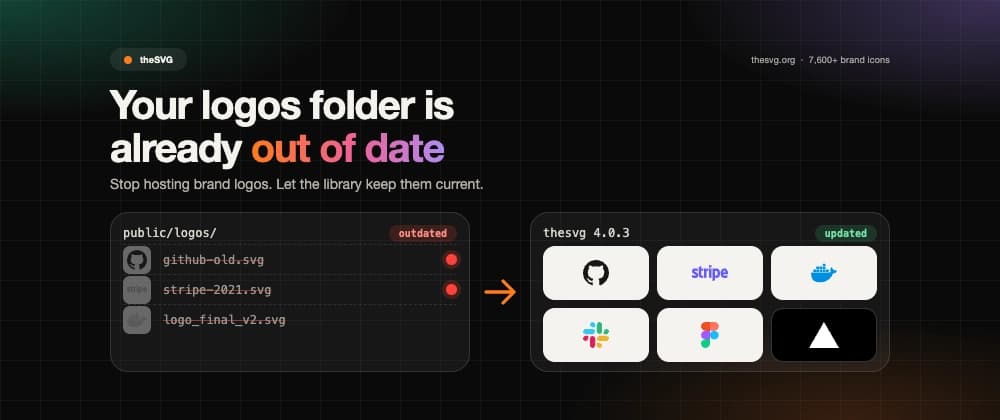
Open your project and look for a folder named logos, brands or partners. It probably holds a couple of dozen SVGs you downloaded one at a time, with names like github-new.svg, stripe-2021.svg and slack_final_v2.svg.
That folder was correct on the day you made it. It has been drifting ever since, and nothing in your build will tell you.
I learned this the hard way. Our template catalog showed a logo for 63 of 442 apps, because someone copied 63 files by hand and nobody wanted to copy the rest. The other 379 tiles showed a gray letter. The marks existed. They just lived somewhere else.
What goes wrong with hosted logo files#
Copying a file gives you a snapshot. Brands do not stand still, and a snapshot has four ways to go bad.
- The brand changes its logo, and your site keeps showing the old one.
- The file was never clean. It has a hard-coded size, no
viewBox, a script tag, or a "mono" version that secretly uses four colors. - Each file is a one-off, so no two have the same name, the same dark mode story or the same license note.
- Nobody owns it. A designer drops a file in, a developer renames it, and nobody can say where it came from.
A hosted folder also costs you bytes you cannot see. A sprite sheet of every logo you might need loads on the page that needs only one.
The fix: treat logos like a dependency#
You already treat React, your date library and your CSS framework this way. Somebody else maintains them, you pin a version, and you upgrade on purpose. Brand logos can work the same way.
theSVG is an open catalog of more than 7,600 brand icons with a rule that every icon follows the same path scheme: {slug}/{variant}.svg. The GitHub logo is always github. Its dark version is always github/dark.svg. When the brand changes the mark, the new one lands under the same name.
That one rule is what makes updates automatic.
Seven reasons a library beats your own folder#
The first reason is the one that matters most. The other six are what keep it that way.
| Reason | What it means for you |
|---|---|
| Same name, new icon | A rebrand ships in a version bump, with no code change |
| One naming scheme | default, mono, light, dark and wordmark everywhere |
| Checked in CI | No scripts, no raster data, a real viewBox, mono files that are truly single color |
| Rebrands keep history | The old mark stays as a -legacy entry, so nothing vanishes |
| Tree-shaking | Import one icon and ship one icon |
| License on every entry | You can see the rules before you ship |
| Signed releases | npm packages publish with provenance |
The checks are not decoration. Last week we added 27 new self-hosted app icons to theSVG, and the validator rejected our first pull request. Six files carried editor metadata, and one "mono" variant was not single color. The bad files never reached a release.
How to check how stale your folder is#
You can find out in ten minutes. List every file in the folder and ask three questions about each one.
First, where did it come from? If the answer is "a Google image search," treat it as untrusted. Second, does it open cleanly? Run it through an SVG linter and look for a missing viewBox, a fixed width and height, or embedded PNG data. Third, is it still the brand's current mark? Open the company's own site next to your copy and compare.
Most folders fail at least one of those checks. The failures are rarely dramatic. A slightly different blue, a retired gradient, a wordmark with the old typeface. Visitors rarely notice any single one, but together they make a page look less cared for.
Setup in five minutes#
Pick the line that matches your stack.
# React
npm install @thesvg/react

# Astro
npm install @thesvg/astro

# Plain JavaScript, tree-shakeable
npm install thesvg

# No install, copy one icon into your repo
npx @thesvg/cli add github
Then use an icon the way you use any component. The variant prop picks the light, dark, mono or wordmark version, so dark mode is one prop instead of a second file.
import Github from "@thesvg/react/github";

export function Footer() {
  return <Github width={24} height={24} variant="dark" aria-label="GitHub" />;
}
In Astro, the import path is the same idea.
---
import Github from "@thesvg/astro/github";
---
<Github size={24} />
If you only need an image tag, the CDN works with no install at all.
<img src="https://thesvg.org/icons/github/default.svg" width="32" height="32" alt="GitHub" />Let your tools do the updating#
The real payoff is the part you stop doing. Add the package to Dependabot or Renovate and a new icon version arrives as a normal pull request. Your logos improve while you work on something else.
We did this on our own product. The dashboard used a hand-kept list that matched each of 442 app templates to a logo file. We replaced it with a small script that reads the template ids, checks which marks exist in the installed package and writes the mapping. Now a version bump of @thesvg/react is the whole job. Version 4.0.3 added 27 icons, which unlocked 34 more tiles without adding a single file.
What about brands that are not there yet#
Tell us, or add them yourself. Every icon starts as a pull request with the SVG and a small data entry, and the same checks run on yours. If a project is real, it belongs in the catalog. The library is open source under the MIT license, with no accounts and no API keys.
You can also ask your AI editor. The @thesvg/mcp-server package lets your AI editor look up and insert logos for you, so you never have to leave the file you are editing.
Try it on one file#
Do not migrate everything today. Pick one component that imports a logo from your logos folder, swap it for the library version, and delete the file. If you like the result, do the next one.
If theSVG saves you a trip to a press kit, a star on GitHub is the best way to help other developers find it.
Which logo is the most out of date in your project right now? Tell me in the comments, and I will check whether theSVG already has the new version.