Self-Hosted Vercel Alternative: Git Push to HTTPS on a VPS | Levelrail
Self-Hosted Vercel Alternative: Git Push to HTTPS on a VPS Levelrail is an open-source,...
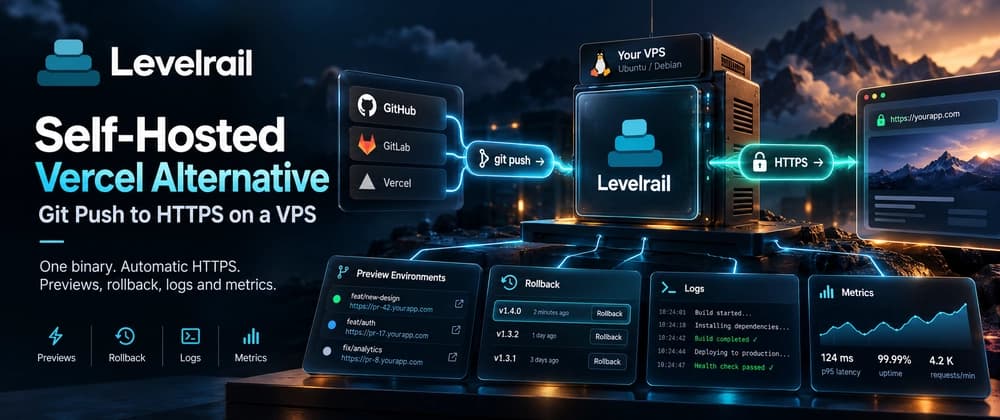
Self-Hosted Vercel Alternative: Git Push to HTTPS on a VPS
Levelrail is an open-source, self-hosted alternative to Vercel and Coolify. You install one binary on a Linux server, connect a git provider, and every push builds and deploys your app behind automatic HTTPS, with preview environments for pull requests, logs, metrics and one-command rollback. It uses Apache 2.0, with one edition and no license key.
This post is the hands-on version. I will take you from an empty VPS to a deployed app on its own domain, then tell you plainly what Vercel still does better. I build Levelrail, so read the comparison sections with that in mind.
TL;DR#
| You want | Levelrail gives you | Where it stops |
|---|---|---|
| Deploy on git push | Webhooks from GitHub, GitLab, Bitbucket and Gitea | A native git push remote exists but is beta |
| HTTPS | Built-in Caddy, Let's Encrypt behind one toggle | The default certificate is self-signed until you turn that on |
| Preview deployments | One per pull request, removed when it closes | Per pull request, not per branch |
| Rollback | One command, previous images stay pinned | Only while the image still exists |
| Logs and metrics | Stored on your node, searchable in the dashboard | No visitor analytics |
| Edge network | None | Put a CDN in front if you need one |
What you need#
A Linux server with systemd and root access, amd64 or arm64. One vCPU and 1 GB of RAM boots the platform. Plan on 2 vCPU and 2 GB if you build images on the same box, which is where a $5 to $10 VPS starts to matter. Ports 80 and 443 must be reachable from the internet. A domain is optional at first, because Levelrail can hand out a free sslip.io address.
Self-hosted Vercel alternative: install it#
Run the installer as root on the server.
curl -fsSL https://levelrail.com/install.sh | sudo shIt checks the host, installs Docker if it is missing, downloads the newest release and verifies its checksum, starts a levelrail systemd service, and waits until the service is healthy. At the end it prints a dashboard link with a one-time setup token, plus a reminder to back up /var/lib/levelrail-data/master.key. Do that now. That key encrypts every stored secret, and nothing can recover it once you lose it.
Open the link, choose a password, and you are the admin. The install page lists the other options: a container, a pinned version, a source build.
Automatic HTTPS, with one honest caveat#
The ingress is Caddy, embedded in the control plane. There is no separate proxy to run. Out of the box every domain gets a certificate from Caddy's internal issuer, so browsers show a warning. That is fine for a first look and wrong for anything public.
The first-run screen has an Enable HTTPS button that needs no DNS. It gives the dashboard a <dashed-ip>.sslip.io name and asks Let's Encrypt for a real certificate. From a terminal, the same thing is:
levelrail-cli settings ingress https enable --wait 2m
levelrail-cli settings ingress https status
Once HTTPS is on, sign in over the https address, because plain HTTP sign-in stops working. For your own domains, switch on real issuance with the Domains page toggle, or:
levelrail-cli settings ingress set --acme-enabled --acme-email you@yourdomain.comThe docs record one live Let's Encrypt run on a public VPS, including what failed before it worked. Renewal and wildcard certificates through DNS-01 are not yet verified in a live run, so check your certificates after the first renewal window. The details are in Domains and ingress.
Deploy from GitHub to your own server#
Point the CLI at your first repository. Without --deploy, it only prints a plan: the build method, port, environment variables, volumes and any warnings. Nothing is created.
levelrail-cli import https://github.com/glincker/levelrail
levelrail-cli import https://github.com/glincker/levelrail --deploy --name web
If you are on your laptop rather than the server, run levelrail-cli login --device first. It prints a code that you approve in the dashboard, much like gh auth login. Use levelrail-cli import --help for the full flag list, including --port and --env KEY=VALUE.
Then watch it come up.
levelrail-cli apps status web
levelrail-cli apps logs web --follow
levelrail-cli open web
apps status lists the reconciler's conditions, and each condition carries a reason, so a failed deploy says why instead of retrying silently. A deploy only goes live after the new container passes its readiness probe. If readiness fails, the old container keeps serving.
Environment variables are one command, and --apply redeploys with them.
levelrail-cli env set web DATABASE_URL=postgres://user:pass@host/db --applyFrameworks that inline variables at build time, such as NEXT_PUBLIC_* in Next.js, need them at build, not just at runtime. The Vercel migration guide walks through that trap.
Make every git push deploy#
An import reads a public repository once. To deploy on every push, connect a git provider. This step happens in the dashboard on purpose, because each provider ends in a browser redirect to GitHub, your GitLab instance, Bitbucket or Gitea. For GitHub, open Settings, GitHub App, let Levelrail create the App, and install it on the repositories you choose. GitHub's flow needs a public primary domain, which the HTTPS step above already set.
Then link the repository to your app. This also registers the webhook.
levelrail-cli github-app use-as-source your-org your-app --app-name web --branch mainFrom now on a push to main builds and deploys. GitLab, Bitbucket and Gitea have matching gitlab-app, bitbucket-app and gitea-app commands. If you would rather deploy only on tags or releases, there is a trigger mode for that, and path filters keep a docs-only commit from rebuilding a service. A git push remote hosted on the server itself exists, but it is beta, so this tutorial sticks to webhooks. See Git integrations.
Add your domain#
Create an A record for your domain pointing at the server's public IP, then attach it to the app.
levelrail-cli domains check web app.example.com
levelrail-cli apps domains add web app.example.com
If something does not load, ask the control plane instead of guessing.
levelrail-cli domains diagnose app.example.comDiagnose runs a fixed list of checks with no AI involved: what three resolvers answer, whether the name points at this server, Cloudflare proxy detection, CAA records that block Let's Encrypt, ports 80 and 443, and the stored certificate. Each failure comes with a fix. Some the platform applies for you, some show the exact DNS record to create. Add --fix to apply the automatic ones. More in the domain doctor docs.
Preview deployments for pull requests#
Previews are opt-in per app.
levelrail-cli apps previews enable web
levelrail-cli apps previews list web
With them on, opening a pull request deploys an independent copy named web-pr-<number>, with its own address of the form pr-<number>.<app>.<primary-domain>. New commits redeploy it in place, and closing or merging the pull request removes it. Levelrail posts a status and keeps one comment on the pull request, edited in place, with the preview URL. Previews copy the parent app's environment, and you can override single keys for previews only.
Two limits. Previews are stable on GitHub and beta on GitLab and Bitbucket. Pull requests from forks get no preview until you opt in per app, because a fork's code would run on your server. By default an app can have 10 live previews and the platform 50, with a seven day expiry.
Roll back, and see what happened#
levelrail-cli rollback webThat redeploys the previous successful release. Older images stay pinned so cleanup cannot delete a rollback target. Nothing rebuilds from an old commit, so a rollback takes seconds, not a build. Logs and metrics are stored on the node that runs the app, with request rate, errors and latency percentiles per app. The dashboard overlays deploy markers on the charts, so "did that deploy cause this" is a visual question.
Vercel vs Levelrail#
| Vercel | Levelrail | |
|---|---|---|
| Where it runs | A managed cloud | Linux servers you own |
| Git deploys and previews | Yes | Yes, previews per pull request |
| Rollback | Instant | One command to a pinned image |
| Edge network and edge runtime | Yes | No |
| ISR revalidation | Yes | No |
| Image optimization | Built in | No |
| Visitor analytics | Yes | No, request metrics only |
| Blob and KV storage | Yes | No, managed Postgres and Redis instead |
| Cost model | Usage and seats | The servers you rent |
The full table is on the Vercel comparison page.
What Vercel still does better#
If your app leans on the edge, stay. Vercel serves from a global network, runs middleware at the edge, revalidates static pages incrementally and resizes images for you. Levelrail has none of that. It runs your app in containers on the servers you pick, so a visitor far from your VPS pays the latency. A CDN in front of Levelrail closes part of that gap, but it is a part you assemble yourself.
Vercel also has years of production mileage and a team on call. Levelrail's single-server mode is labeled production ready, but multi-node, native git push and the previews for GitLab and Bitbucket are beta. The feature status page shows the evidence behind each label. If you move a real workload, run both for a week and keep DNS ready to switch back.
Where Levelrail wins is the bill. A flat server price does not grow with traffic or seats, and your secrets, logs and metrics stay on machines you control.
Coolify alternative: how Levelrail differs#
If you already self-host, the question is usually Coolify. Coolify manages servers over SSH and has the broadest one-click catalog. Levelrail installs an agent on each node that dials out to the control plane over mutual TLS, so managed nodes need no inbound ports, and a reconciler keeps each node converging on its desired state. It ships about 360 templates, though only a sample is deployed end to end in testing.
The move is a read-only import.
levelrail-cli import platform coolify --url "$COOLIFY_URL" --dry-runThe importer reads apps, databases and settings from the old instance and never writes to it. It creates databases and volumes empty, so their contents do not move, and certificates, DNS and deploy history stay behind. Set the source token in APP_IMPORT_SOURCE_TOKEN. Dokploy and CapRover work the same way. See the Coolify migration guide and the side by side comparison.
Try it on your laptop first#
You do not need a server to look around. With Docker running and the control plane binary next to the CLI, one command starts a private instance bound to 127.0.0.1, and apps appear at <app>.localhost.
levelrail-cli devIt serves plain HTTP and is for trying things, not for hosting. When you move to a real server, levelrail-cli doctor runs one health check for Docker, disk, ports, firewall, DNS, certificates, backups and nodes, and levelrail-cli doctor --fix applies the safe fixes after asking you.
Frequently asked questions#
Is there a self-hosted Vercel alternative?#
Yes. Levelrail covers git deploys, preview environments, HTTPS, logs, metrics and rollback on your own Linux servers. It does not provide an edge network, an edge runtime, ISR or image optimization.
Is Levelrail a Coolify alternative?#
It is one. The main differences are an agent that dials out instead of SSH, built-in metrics and log search, and identity features such as OAuth sign-in, IAM policies and an audit log in the free edition.
How much does it cost?#
The software is free under Apache 2.0, with no license key. You pay for the server.
Does it work with Next.js?#
Yes, as a container built from your Dockerfile. There is no Vercel importer, so you move the settings by hand.
Can I deploy from GitLab, Bitbucket or Gitea?#
Yes. All four providers support webhook deploys. Previews are stable on GitHub and beta on GitLab and Bitbucket.
Go deeper#
- Levelrail docs
- Getting started: first app in about ten minutes
- Self-hosted Vercel alternative, full feature table
- Coolify alternative
- Install Levelrail on a VPS in five minutes
Try it, and star the repo#
The install is one command, and the repo is open. A star helps other people find it, and an issue tells me what to fix next.
Which Vercel feature would stop you from moving a project? Tell me in the comments.
GDS K S · thegdsks.com · building Glincker · follow on X @thegdsks
A deploy platform earns trust on the day something breaks, so I would rather list the gaps up front.